Real Estate Agent website example · Phoenix, AZ
A real estate agent website designed to start buyer and seller conversations
Bluebird Realty is an example website design for a real estate agent in Phoenix, AZ. A full-width photograph of a desert home sits behind a serif headline and a button that opens a small home browse. 3 homes can be filtered for buyers or sellers, 2 numbered paths describe buying with a plan and selling with clarity, and the page ends on a conversation form that asks what the visitor is hoping to find or change.
$0 to build, $15/mo after you go live
Bluebird Realty Real Estate Agent
$0 to build · $15/mo after you go live
Get a site like this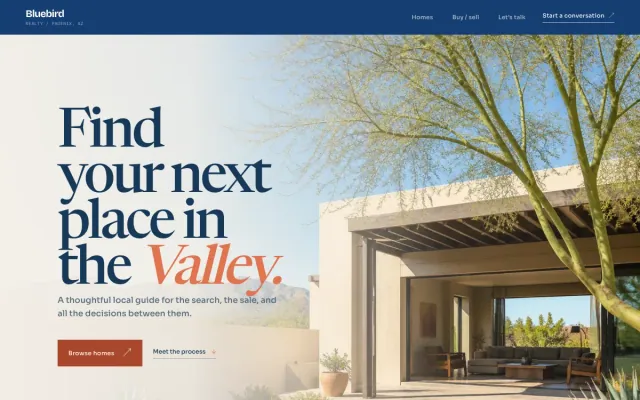
At a glance
- Industry
- Real Estate Agent
- Setting
- Phoenix, AZ
- Category
- Professional & Business Services
- Designed to
- Start buyer and seller conversations
- Pages
- 1 · Home
- Style
- Warm, Editorial
- Palette
-
- #153F73
- #DF744F
- #F5F0E8
- #E6D9C5
- #173858
Design decisions
-
A home browse without a listing portal
Visitors expect to see houses, but a solo agent cannot out-build the big search sites. 3 editorial home cards with a buyer-or-seller filter show the agent’s eye and give the page a browsing feel, with no live inventory to maintain.
-
Buyers and sellers get separate paths
Someone new to Phoenix and someone leaving a house after 20 years have different questions. 2 numbered paths give each a sentence about how the work goes, so neither has to read copy aimed at the other.
-
The form starts with what the visitor hopes for
The message field asks what the visitor is hoping to find, change or understand. A first conversation with an agent rarely starts with a number, and a form that reflects that gets more honest answers than a pre-approval field.
-
Sand, deep blue and terracotta
A sand-colored page, deep blue type and one terracotta accent come from the desert the homes sit in. The serif headline and small section marks make the page read like a local magazine, which is the tone a neighborhood agent wants.
What's on this site
- Full-width photo hero
- Intro statement
- Home browse with filter
- Buyer and seller paths
- Conversation request form
Features you can try in the example
- Buyer and seller paths
- Filterable home browse
- Conversation request form
What every real estate agent website needs
- Separate paths for buyers and sellers, each with how the process goes
- The neighborhoods you work, with a sentence on each
- Your license number and brokerage, as your state requires
- A way to show homes: a few featured listings or a link to your MLS or brokerage search
- A photo and short bio; people hire the agent, not the logo
- A conversation form that asks what the visitor is hoping to do, plus a phone number on every screen
See how FreeWebGuy builds a website for real estate agents.
- $0 to build
- First version within 48 hours of your brief
- $15 a month for hosting, only after you approve the preview and go live
- Month to month, no contract
When you approve the preview, you set up your SMBcrm account and card for the $15 hosting plan. That is the only time we ask for payment details.
Real estate agent website questions
What should a real estate agent website include?
Buyer and seller paths, the neighborhoods you work, your license and brokerage details, a way to see homes, a photo and bio, and a simple way to start a conversation. Most agents need the page to make them findable and credible, not to replace the MLS.
Should a real estate agent website show live listings?
Only if you have an IDX feed and the budget to maintain it. A few featured homes with your own photography, plus a link to your brokerage or MLS search, gives visitors something to look at and keeps the site simple. Say clearly which it is.
How much does a real estate agent website like this cost with FreeWebGuy?
FreeWebGuy builds your real estate agent website for $0. Hosting is $15 a month and starts only after you approve the private preview and go live. Month to month, no contract. The full price breakdown lists what is included and what costs extra.
How fast can I get a real estate agent website like this?
First version within 48 hours of your brief. You review a private preview and ask for changes before you pay. Bigger sites, or briefs missing key details, take a few days more. See how it works for the steps.
Is this a template?
No. It is one design direction for real estate agent websites. Your site is built from your brief: your name, services, service area and look. You can name this example as the look you want, or ask for something different.
More professional services website examples
Architect Chicago, IL
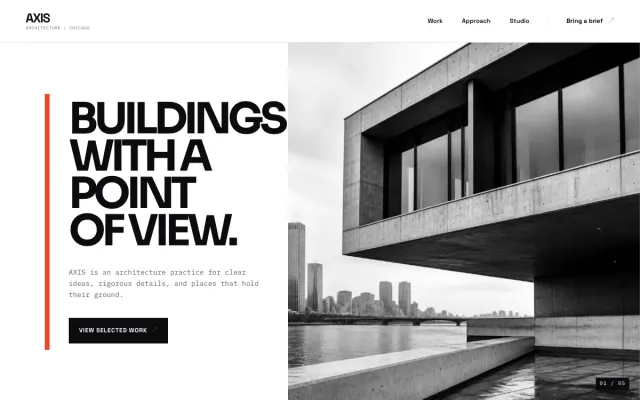
AXIS Architecture - Architect website design example
International-modern architecture for clear ideas and difficult briefs.
- Selected work index
- Practice approach
- Project inquiry form
Mobile Notary Tucson, AZ
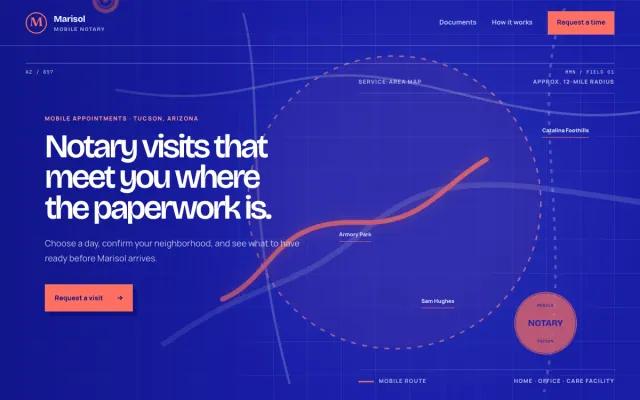
Marisol Mobile Notary - Mobile Notary website design example
A Tucson mobile notary with a clear service area and simple visit requests
- Service-area map
- Document checklist
- Visit time request
Law Firm Raleigh, NC
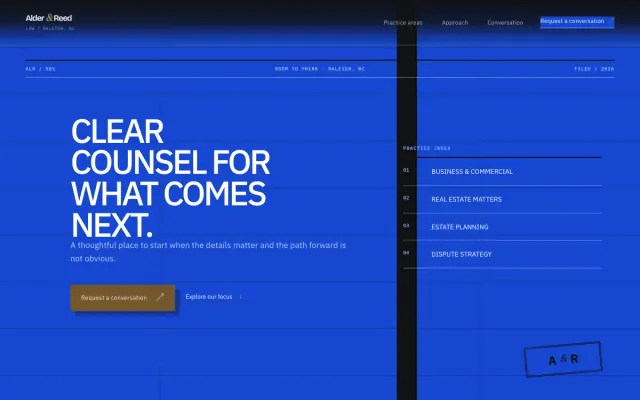
Alder & Reed Law - Law Firm website design example
Clear, practical guidance for the decisions that shape what comes next.
- Practice-area accordion
- Three-step approach
- Conversation request form

IT Services Dallas, TX
Meridian Managed IT - IT Services website design example
Managed IT that keeps the workday moving
- Question-led service index
- Working-session steps
- Support request form
