Websites for plumbers
A website for your plumbing business, built for you
FreeWebGuy builds websites for plumbing businesses: $0 to build and $15 a month for hosting once you approve the site. The first version comes within 48 hours of your brief, with a tap-to-call button for the burst pipe and a quote form for the bathroom remodel.
Pay nothing until you approve it.
About 3 minutes. No credit card.
What a plumber website has to do
-
Get the emergency caller on the phone
Someone with water coming through the ceiling is not going to read your About page. They want a number they can tap in two seconds, so the call button sits in the header on every screen and again at the top of the home page. If you take after-hours calls, the hours go right beside it.
-
Give planned work a slower, written path
The homeowner pricing a water heater swap or a repipe is comparing two or three plumbers over a few days. They want the job explained, a sense of how you work and a form that asks enough to quote from, so you are not calling back for the basics.
-
Prove you're licensed, local and real
You are asking to be let into someone's house. Customers look for a license number, the towns you cover, photos of your own trucks and crew, and reviews they can check on Google. The site puts all of that where a nervous first-time caller will find it.
The pages we build for a plumbing business
Your brief decides the final list. These are the pages most plumbers need, and the job each one does.
| Page | Why it is there |
|---|---|
| Home | Two doors from the first screen: call now about an urgent problem, or request a quote for planned work. |
| A page for each service | Drain cleaning, water heaters, repiping, fixtures. People search for the job, not the trade, so each service you want more of gets its own page. |
| Emergency service | Your hours, what you count as an emergency and the number to call, for the customer who needs you tonight. Only if you take those calls. |
| Service area | The towns or ZIP codes you cover, written out in text, so a customer can tell in seconds whether you come to them. |
| Reviews | A few real reviews in full and a link to your Google Business Profile, where customers can read the rest. |
| About | Who owns the business, your license and insurance if you hold them, and photos of the trucks and people who show up. |
| Contact and quote request | A short form that asks what is happening, where in the house and how soon, with the phone number beside it for anyone who would rather call. |
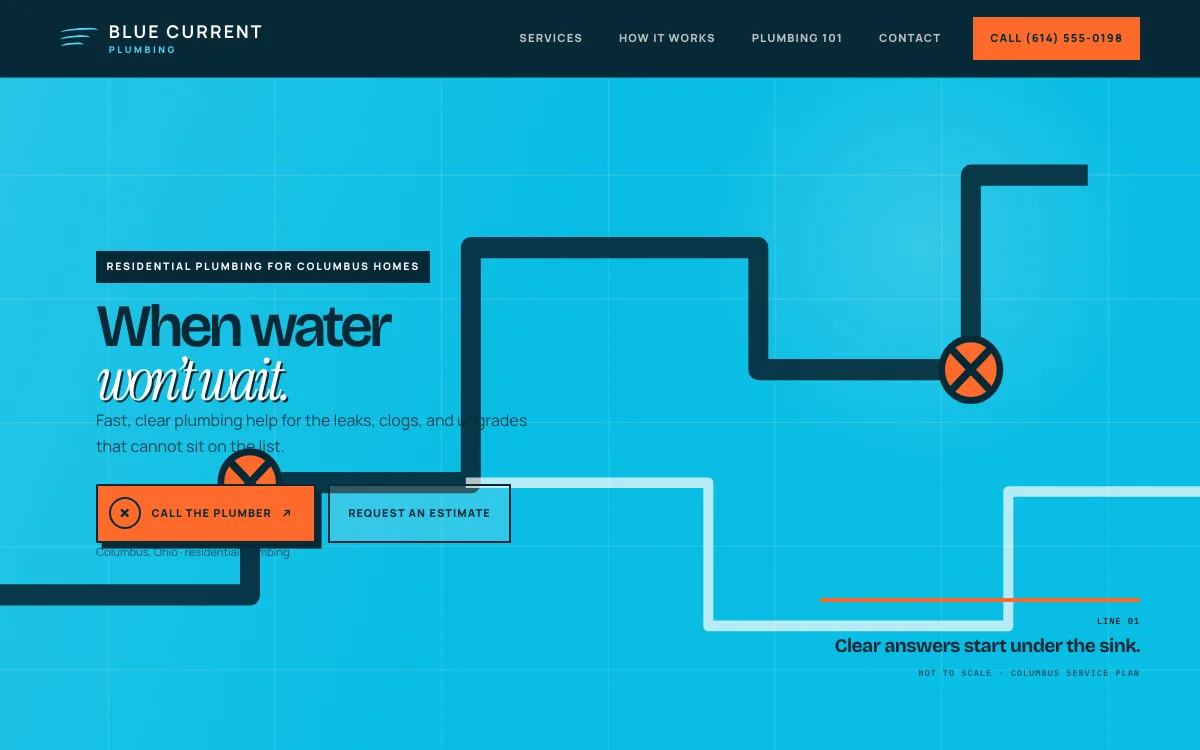
See a plumber website we designed
-
The visitor picks their situation first
The design opens with three choices: something's wrong, planning an upgrade, or want to learn first. Each one leads to the right next step without a scroll through everything else.
-
The phone number never leaves the screen
The number stays in the top bar and repeats as the first button in the hero, so a homeowner on a phone can call without hunting for it.
-
A request form that sorts the job
The form's first question is what's going on: a repair, an upgrade or a question. You know which messages to answer first before you read a word of the details.
Open the full plumber website design example to click through it as a phone or desktop visitor would, or browse more home service website examples.
Another design for this kind of work
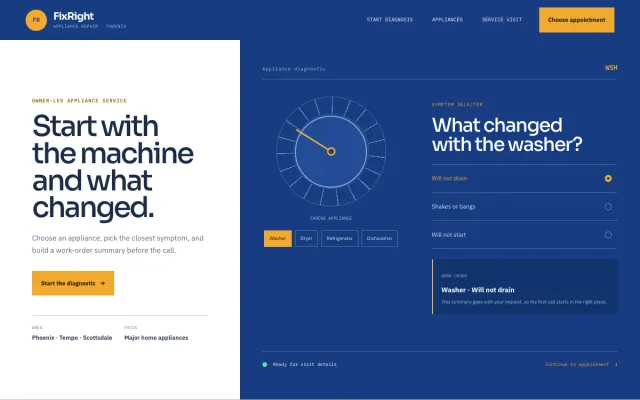
Appliance Repair Phoenix, AZ
FixRight Appliance Repair - Appliance Repair website design example
An appliance diagnostic, symptom selector, and clear appointment request
- Appliance diagnostic
- Symptom selector
- Appointment request
What to have ready for your brief
The brief takes about 3 minutes. Send what you have now; photos, documents and anything else on this list can follow by email.
- Your state and license number, if your state licenses plumbers
- The number customers should call, and the hours you answer it, including nights and weekends if you work them
- The towns, counties or ZIP codes you cover
- The three services you most want to lead with
- Water heater and fixture brands you install or service, if you want them named
- How you price: estimates, a trip or diagnostic fee, flat rates or financing, whichever you use
- Your warranty on parts and labor, in your own words
- Photos of your trucks, your team and finished work. Phone photos are fine.
- Your Google Business Profile link, so the site can point to your reviews
What customers check before they call
- A license number in the footer, if your state issues one, and insurance stated plainly if you carry it
- Real photos of your vans and crew, so the person at the door matches the website
- Reviews they can verify: a handful on the site and a link to the full list on Google
- The towns you serve, written out, so nobody has to call to ask whether you come to them
- How pricing works before anyone arrives, whether that is a trip fee, a free estimate or flat rates
What a plumber website costs
A plumber website from FreeWebGuy is $0 to build and $15 a month for hosting once you approve it: $180 for the first year, plus a domain if you need one.
| Route | What it costs | First year | Who builds it |
|---|---|---|---|
| DIY website builder | $17 to $49 a month, billed yearly | $204 to $588 | You build it |
| Freelance web designer | $2,000 to $7,600 to build, plus hosting | $2,060 to $7,900 | They build it |
| Web design agency | $5,000 to $15,000 to build, plus hosting | $5,060 to $15,300 | They build it |
| FreeWebGuy | $0 to build, $15 a month | $180, plus a domain if you need one | We build it |
Sources: Wix plans; Squarespace pricing; WebsiteSetup: small business website costs (updated November 22, 2025); Ueni: average cost for a website (updated September 22, 2026); Clutch: web designer pricing (updated September 21, 2026)
The pages above fit inside the standard build, so a plumbing site needs no add-ons. Payment processing and text-message features cost extra only if you switch them on.
The pricing page lists what the $15 plan includes and what costs extra. To price your own situation, use the website cost calculator or compare FreeWebGuy with Wix, Squarespace and web designers.
Prefer to build it yourself?
Building your own plumber website works if you have the evenings for it. These five steps cover what the site needs on any website builder.
-
Pick a website builder that lets you put a tap-to-call button in the header and add a simple request form.
-
Write one page for each service you want more of, starting with the work that keeps your trucks busiest.
-
Write out the towns you cover as text on a service area page, in addition to any map.
-
Add your license number if you hold one, your insurance, and three or four photos of real jobs and your truck.
-
Link the site from your Google Business Profile, then test the call button and the form from your own phone.
For a page-by-page checklist, read What should be on a small business website? A page-by-page checklist.
How FreeWebGuy builds it
-
Send the brief
About 3 minutes
Tell us what you do and what you want visitors to do.
You pay $0
-
We build it
Within 48 hours of your brief
We use AI to build fast. A person checks every first version before you see it.
You pay $0
-
You review the preview
At your pace
Open the private link and tell us what to change.
You pay $0
-
Approve and go live
When you decide
When you approve the preview, you set up your SMBcrm account and card for the $15 hosting plan.
You pay $15 a month starts here
If you are not ready to launch, you owe nothing.
Questions plumbers ask
Something else on your mind? Email hello@freewebguy.com. We reply within one business day.
How much does a plumber website cost?
A plumber website from FreeWebGuy is $0 to build and $15 a month for hosting once you approve it, so the first year is $180 plus a domain if you need one. There is no setup fee and no contract, and you see the finished site before you pay anything.
How to design a plumbing website?
Start from your two kinds of customer. Put a tap-to-call button and your hours at the top for emergencies, give each service its own page for people planning work, and show your license, service area and reviews before anyone has to ask. Keep the request form short: what, where and how soon.
Does a plumbing website need a blog?
No. Clear service pages, a service area page and an easy way to call matter more. If you like writing, a few plain answers to questions customers ask you on the job, such as what to do when a pipe bursts, can help, but nothing breaks without a blog.
Should a plumbing website list prices?
List the prices you can stand behind. If you charge a trip or diagnostic fee, say so, and give a range for jobs you price the same way every time, such as a standard water heater swap. For everything else, explain how quotes work so the customer knows what to expect before you arrive.
Do I need a separate page for each town I serve?
Usually not. One service area page that lists every town or ZIP code you cover does the job, and your Google Business Profile carries most of the weight in local results. Pages that repeat the same text with a different town name help nobody, and Google's spam policies call them doorway pages.
Will a plumbing website help me show up on Google Maps?
It supports your Google Business Profile, which is what Maps shows. Google says local results are based on relevance, distance and prominence (Google Business Profile Help), and a clear site with your services and area helps with relevance. No website can promise a ranking.
Can customers request emergency service from the website?
Yes, though the phone should do most of that work. The call button comes first for urgent jobs, and the request form asks how soon the customer needs help and emails you each request, so a message that lands overnight can be sorted first thing.
Related industries and guides
- Website for HVAC companies Lead with the season's work and give maintenance plans their own page.
- Website for electricians Separate paths for repairs, panel and capacity upgrades, and lighting projects.
- Website for handymen A job list, clear minimums and a punch-list request that bundles small fixes.
- How much does a small business website cost in 2026?
- Google Business Profile websites shut down: what to do now
- Local SEO checklist for service businesses
- $0 to build
- First version within 48 hours of your brief
- $15 a month for hosting, only after you approve the preview and go live
- Month to month, no contract
When you approve the preview, you set up your SMBcrm account and card for the $15 hosting plan. That is the only time we ask for payment details.
