Handyman website example · Boise, ID
A handyman website designed to turn a to-do list into a punch-list request
Hale Home Handyman is an example website design for a handyman in Boise, ID. The first screen is a job selector: hang it, fix it, build it or seal it, and each choice tells the visitor what to send and swaps the tool on an illustrated pegboard. A tappable common-fix checklist follows, then a 3-step visit, and the page ends on a punch-list form with a field for the first job and a box for the rest.
$0 to build, $15/mo after you go live
Hale Home Handyman Handyman
$0 to build · $15/mo after you go live
Get a site like this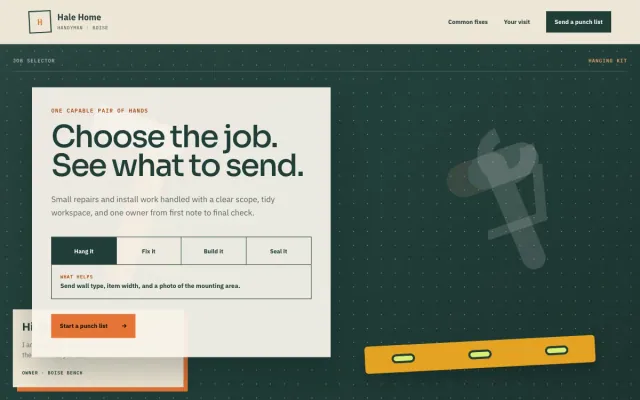
At a glance
- Industry
- Handyman
- Setting
- Boise, ID
- Category
- Home Services & Trades
- Designed to
- Turn a to-do list into a punch-list request
- Pages
- 1 · Home
- Style
- Warm, Clean
- Palette
-
- #213D38
- #E57536
- #EEE6D7
- #263D38
Design decisions
-
The selector tells people what to send
Handyman customers write vague messages because they do not know what helps. Each job type in the selector answers with the 2 or 3 details to include, such as wall type and a photo, so the first message is usable.
-
A checklist builds the punch list before the form
Households collect small jobs and rarely call about a single one. The common-fix checklist lets a visitor tap the jobs they would group into a visit, counts them, and hands the list to the request section.
-
The owner is visible on the first screen
People hire a handyman they feel they have met. A short note from the owner sits in the hero, in the owner’s voice, which does more for trust than a stock photo of a tool belt.
-
A pegboard makes it look like one person’s bench
A one-person operation should look like one. Dark green, cream and a drawn pegboard with a level and a caulk gun give the page the look of a workbench, and the tools change as the job changes.
What's on this site
- Hero with job selector
- Common-fix checklist
- Three-step visit
- Punch-list request form
Features you can try in the example
- Job selector
- Common-fix checklist
- Punch-list request
What every handyman website needs
- A list of the jobs you take, in the words customers use: hang, fix, assemble, seal
- A line about what you do not do, such as plumbing or electrical beyond fixtures
- How you charge: by the hour, by the visit or by the job
- Your service area and the days you work
- Photos of finished small jobs, before and after
- A form with room for a whole list of jobs
See how FreeWebGuy builds a website for handymen.
- $0 to build
- First version within 48 hours of your brief
- $15 a month for hosting, only after you approve the preview and go live
- Month to month, no contract
When you approve the preview, you set up your SMBcrm account and card for the $15 hosting plan. That is the only time we ask for payment details.
Handyman website questions
What should a handyman website include?
A handyman website should list the jobs you take in plain words, say what you do not do, explain how you charge, name your service area and show a few finished jobs. A form that accepts a whole list gives customers a reason to group their small tasks into one visit.
Should a handyman website list hourly rates?
If you charge by the hour, listing the rate and the minimum visit saves you calls from people outside your range. If you price by the job, say so and describe the 2 or 3 details you need to quote. Either way, a page that explains pricing gets better requests than one that hides it.
How much does a handyman website like this cost with FreeWebGuy?
FreeWebGuy builds your handyman website for $0. Hosting is $15 a month and starts only after you approve the private preview and go live. Month to month, no contract. The full price breakdown lists what is included and what costs extra.
How fast can I get a handyman website like this?
First version within 48 hours of your brief. You review a private preview and ask for changes before you pay. Bigger sites, or briefs missing key details, take a few days more. See how it works for the steps.
Is this a template?
No. It is one design direction for handyman websites. Your site is built from your brief: your name, services, service area and look. You can name this example as the look you want, or ask for something different.
More home service website examples
Tree Service Madison, WI
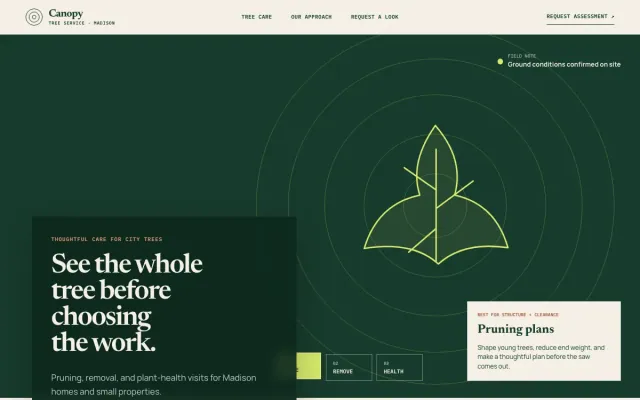
Canopy Tree Service - Tree Service website design example
Pruning, removals, and plant-health visits for Madison-area trees.
- Pruning plans
- Tree removal
- Plant health checks
Car Detailing San Antonio, TX
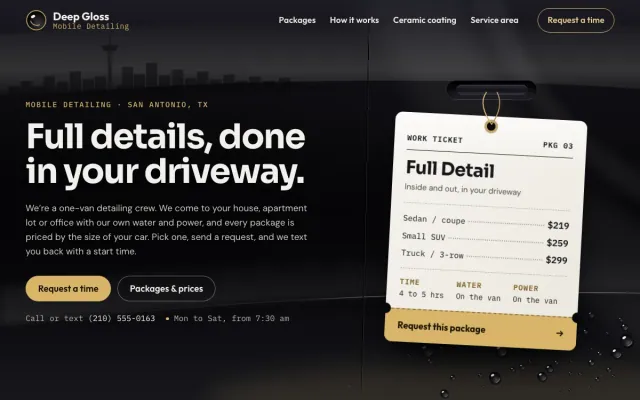
Deep Gloss Mobile Detailing - Car Detailing website design example
Mobile detailing priced by vehicle size, with a plain-spoken guide to ceramic coating
- Package prices by vehicle size
- Request-a-time form
- Ceramic coating guide

Pool Builder Scottsdale, AZ
Blue Depth Poolworks - Pool Builder website design example
Custom pools and outdoor rooms with a clear point of view.
- Pool design paths
- Design study
- Project inquiry
Chimney Sweep Asheville, NC
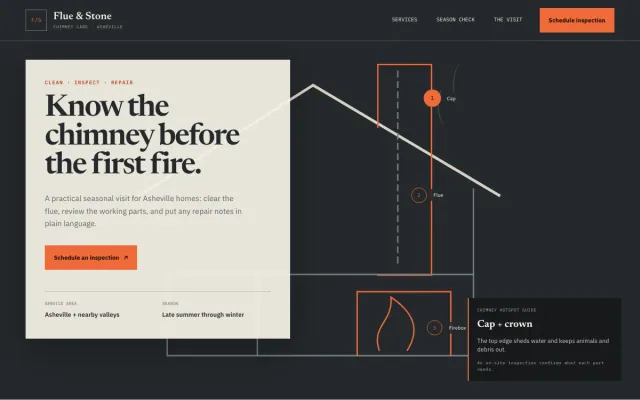
Flue & Stone Chimney Care - Chimney Sweep website design example
A chimney hotspot guide, seasonal checklist, and inspection request flow
- Chimney hotspot guide
- Seasonal safety checklist
- Inspection request
