Websites for handymen
A website for your handyman business, built for you
A handyman website from FreeWebGuy is $0 to build, and hosting is $15 a month once you approve the site. Your first version comes within 48 hours of your brief, organized around the jobs you take, your minimum visit and a punch-list request that bundles several small fixes into one trip.
Pay nothing until you approve it.
About 3 minutes. No credit card.
What a handyman website has to do
-
Show the job list, not a slogan
Handyman customers search for a specific fix: mount a TV, rehang a door, patch drywall. A clear list of jobs, grouped the way people think about them, tells a visitor in a few seconds that you do what they need.
-
Fill the visit
Small jobs pay when several share one trip. A punch-list request lets the customer list everything at once, and a published minimum or hourly rate tells them up front how a visit is priced.
-
Say what you don't do
Some states cap the size of job a handyman can take without a contractor's license, and some work belongs with a licensed plumber or electrician. A short list of jobs you pass on saves both sides a wasted call and keeps you inside your state's rules.
The pages we build for a handyman business
Your brief decides the final list. These are the pages most handymen need, and the job each one does.
| Page | Why it is there |
|---|---|
| Home | The jobs you do most, your minimum visit and a button to send a punch list. |
| Jobs we do | Grouped the way customers think (hang it, fix it, build it, seal it) with a few examples under each. |
| Jobs we don't do | The work you refer to licensed trades, so customers know before they ask. |
| Pricing and minimums | Your hourly or flat rates and the minimum visit, if you publish them. |
| Service area | The towns or ZIP codes you drive to. |
| About | Who shows up, a photo of them, and your insurance if you carry it. |
| Punch-list request | A form with room for several jobs, photos and the best days for a visit. |
See a handyman website we designed
-
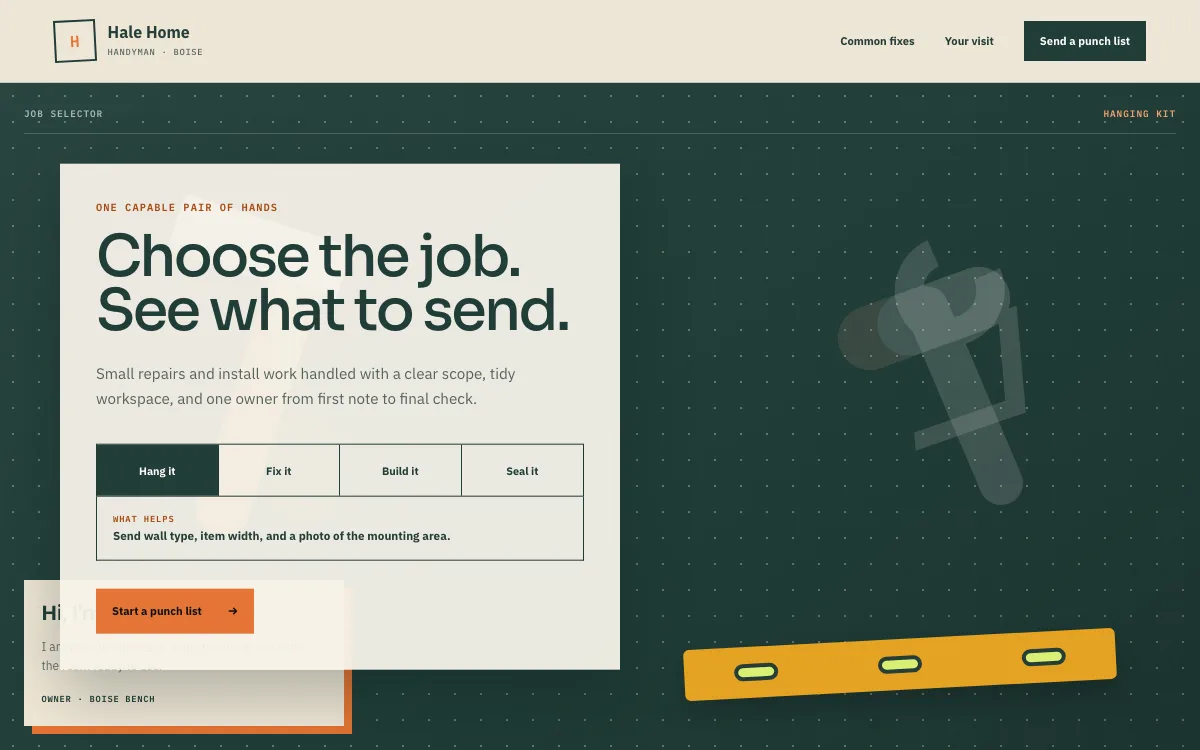
A job selector
Hang it, fix it, build it, seal it. The visitor picks the kind of job and the site says what to send, such as the wall type and a photo of the mounting spot.
-
A common-fix checklist
Visitors tap the small jobs they want done (shelves, a sticking door, fresh caulk, blinds) and watch them collect into one list, which is how a handyman visit fills up in real life.
-
A punch-list request
The request asks for the first job, a ZIP code and the rest of the list, so the owner can plan materials and time before calling back.
Open the full handyman website design example to click through it as a phone or desktop visitor would, or browse more home service website examples.
Another design for this kind of work
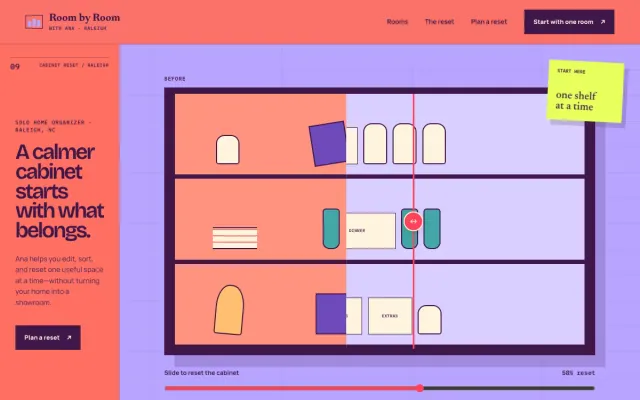
Home Organizer Raleigh, NC
Room by Room with Ana - Home Organizer website design example
A calmer home, one useful reset at a time.
- Before/after cabinet
- Room-by-room paths
- Edit / sort / reset plan
What to have ready for your brief
The brief takes about 3 minutes. Send what you have now; photos, documents and anything else on this list can follow by email.
- The jobs you do, and the ones you would like more of
- The jobs you won't take, including work you refer to licensed trades
- Your minimum visit, hourly rate or flat prices, if you want them shown
- Any license you hold, and any job-size limit your state sets
- The towns or ZIP codes you cover
- Your insurance, if you carry it
- A photo of yourself or your crew, plus a few before-and-after shots
- How customers reach you fastest: call, text or email
What customers check before they call
- A real person: your name, your face and who will be at the door
- Clear minimums and rates, so nobody gets a surprise bill for a 20-minute fix
- Insurance stated plainly, if you carry it, since you will be working inside their home
- Before-and-after photos of small jobs done neatly
- Reviews saying you turned up when you said you would and left the place tidy
What a handyman website costs
A handyman website from FreeWebGuy is $0 to build and $15 a month for hosting once you approve it: $180 for the first year, plus a domain if you need one.
| Route | What it costs | First year | Who builds it |
|---|---|---|---|
| DIY website builder | $17 to $49 a month, billed yearly | $204 to $588 | You build it |
| Freelance web designer | $2,000 to $7,600 to build, plus hosting | $2,060 to $7,900 | They build it |
| Web design agency | $5,000 to $15,000 to build, plus hosting | $5,060 to $15,300 | They build it |
| FreeWebGuy | $0 to build, $15 a month | $180, plus a domain if you need one | We build it |
Sources: Wix plans; Squarespace pricing; WebsiteSetup: small business website costs (updated November 22, 2025); Ueni: average cost for a website (updated September 22, 2026); Clutch: web designer pricing (updated September 21, 2026)
A job list, a pricing page and a punch-list request that emails you each list are all part of the standard build, so the whole site stays at $15 a month.
The pricing page lists what the $15 plan includes and what costs extra. To price your own situation, use the website cost calculator or compare FreeWebGuy with Wix, Squarespace and web designers.
Prefer to build it yourself?
Building your own handyman website works if you have the evenings for it. These five steps cover what the site needs on any website builder.
-
Choose a builder whose form lets customers type a list and attach photos.
-
Write your job list in the words customers use: mount a TV, fix a sticking door, replace a faucet.
-
Add a section for jobs you don't do, and state your minimum visit.
-
Put a clear photo of yourself on the home page and the about page.
-
Connect the site to your Google Business Profile and test the form from your phone.
For a page-by-page checklist, read What should be on a small business website? A page-by-page checklist.
How FreeWebGuy builds it
-
Send the brief
About 3 minutes
Tell us what you do and what you want visitors to do.
You pay $0
-
We build it
Within 48 hours of your brief
We use AI to build fast. A person checks every first version before you see it.
You pay $0
-
You review the preview
At your pace
Open the private link and tell us what to change.
You pay $0
-
Approve and go live
When you decide
When you approve the preview, you set up your SMBcrm account and card for the $15 hosting plan.
You pay $15 a month starts here
If you are not ready to launch, you owe nothing.
Questions handymen ask
Something else on your mind? Email hello@freewebguy.com. We reply within one business day.
How much does a handyman website cost?
A handyman website from FreeWebGuy is $0 to build and $15 a month for hosting after you approve it, or $180 for the first year plus a domain if you need one. The punch-list request and pricing page are included.
What makes a good handyman website?
A good handyman site names the jobs you do, says what you don't do, shows your minimum visit or rates, puts your face on the page and makes it easy to send a list of small jobs with photos. A visitor should know within a minute whether you can help.
How can a handyman web design help your business?
It fills your visits. A job list catches searches for specific fixes, a punch-list request turns one small job into several, and published minimums cut the calls that were never going to work. It also answers "are you insured?" before anyone has to ask.
Should a handyman website have a "jobs we don't do" page?
Yes. It saves calls you would turn down anyway, shows customers you know your limits, and keeps you clear of work your state reserves for licensed trades. A short list with a line on who to call instead is enough.
How should a handyman price small jobs on a website?
Publish the rule rather than every price: a minimum visit, an hourly rate, or flat prices for your most common jobs, such as mounting a TV. A customer with a 20-minute fix wants to know whether it will cost a full visit.
How do customers send a list of jobs through the website?
Through a punch-list request: a form with space for each job, room for photos and their ZIP code. It arrives in your email as one message, so you can plan materials and time before you call back.
Should a handyman show a license on the website?
Show any license you hold, and your insurance if you carry it. If your state does not license handymen, say what you are insured for and which work you refer to licensed trades. That answers the same worry.
Related industries and guides
- Website for contractors Finished projects first, and a process page that answers questions before the first meeting.
- Website for plumbers Two paths: the leak that needs a call now and the remodel that needs a quote.
- Website for cleaning businesses Visit types, a price guide by home size and a plan builder that fills in the quote before it is sent.
- How much does a small business website cost in 2026?
- What should be on a small business website? A page-by-page checklist
- How to write website copy for a local business
- $0 to build
- First version within 48 hours of your brief
- $15 a month for hosting, only after you approve the preview and go live
- Month to month, no contract
When you approve the preview, you set up your SMBcrm account and card for the $15 hosting plan. That is the only time we ask for payment details.
