Home Organizer website example · Raleigh, NC
A home organizer website designed to turn clutter into a reset plan
Room by Room with Ana is an example website design for a home organizer in Raleigh, NC. The first screen is a before-and-after cabinet: a slider reveals the organized shelves over the cluttered ones, next to a headline about what belongs. 3 room tabs, kitchen, closet and home office, follow, then an edit, sort and reset checklist, and the page ends on a short form that asks which room to reset.
$0 to build, $15/mo after you go live
Room by Room with Ana Home Organizer
$0 to build · $15/mo after you go live
Get a site like this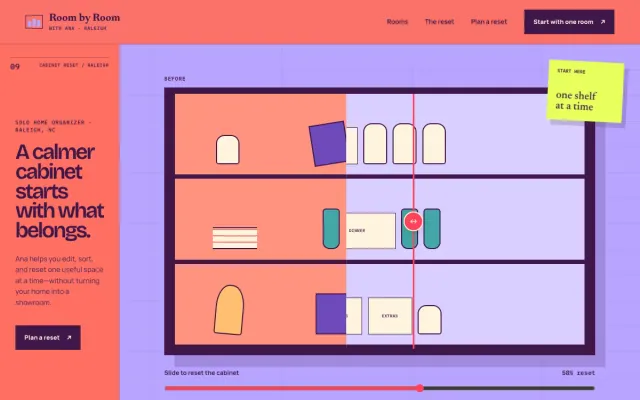
At a glance
- Industry
- Home Organizer
- Setting
- Raleigh, NC
- Category
- Home Services & Trades
- Designed to
- Turn clutter into a reset plan
- Pages
- 1 · Home
- Style
- Playful, Bold
- Palette
-
- #3E1748
- #FF6F61
- #B7A4FF
Design decisions
-
The slider shows the result in one gesture
Organizing is hard to describe and easy to see. Dragging the slider turns a jumbled pantry into labeled bins, which explains the service faster than a paragraph and works with a thumb on a phone.
-
Rooms are the menu
Clients think about the drawer that annoys them, and no service tier names it. Kitchen, closet and home office each open as a tab with one sentence on what changes, and each panel links to the form with that room in mind.
-
The checklist shows who decides
People fear an organizer will throw their things away. A tappable 4-step pass shows that every decision stays with the client: keep close, move elsewhere, donate with care, label the new home.
-
Coral, lilac and a sticky note keep it personal
A solo organizer competing with franchise brands needs to look like a person. Warm coral, soft lilac and a hand-lettered sticky note in the hero read like a visit from a friend who is good at this.
What's on this site
- Hero with before-and-after cabinet
- Kitchen, closet and office tabs
- Edit, sort, reset checklist
- Reset request form
Features you can try in the example
- Before/after cabinet
- Room-by-room paths
- Edit / sort / reset plan
What every home organizer website needs
- The spaces you work on: kitchens, closets, offices, garages, whole homes
- How a session runs and what the client decides versus what you handle
- How you charge: by session, by hour or by project
- Before-and-after photos with the client’s permission
- Your service area and whether you offer virtual sessions
- A short form that asks which room and what is causing friction
- $0 to build
- First version within 48 hours of your brief
- $15 a month for hosting, only after you approve the preview and go live
- Month to month, no contract
When you approve the preview, you set up your SMBcrm account and card for the $15 hosting plan. That is the only time we ask for payment details.
Home organizer website questions
What should a home organizer website include?
A home organizer website should list the spaces you work on, explain how a session runs and who decides what stays, say how you charge, and show before-and-after photos you have permission to use. A short form that asks which room and what is causing friction is the right first step.
How does a home organizer website show results without client photos?
Use an illustrated before-and-after, a walkthrough of your method, or your own space photographed well. Describe 1 or 2 anonymized projects by room and problem rather than by name, and add photos as clients agree to them.
How much does a home organizer website like this cost with FreeWebGuy?
FreeWebGuy builds your home organizer website for $0. Hosting is $15 a month and starts only after you approve the private preview and go live. Month to month, no contract. The full price breakdown lists what is included and what costs extra.
How fast can I get a home organizer website like this?
First version within 48 hours of your brief. You review a private preview and ask for changes before you pay. Bigger sites, or briefs missing key details, take a few days more. See how it works for the steps.
Is this a template?
No. It is one design direction for home organizer websites. Your site is built from your brief: your name, services, service area and look. You can name this example as the look you want, or ask for something different.
More home service website examples

Appliance Repair Phoenix, AZ
FixRight Appliance Repair - Appliance Repair website design example
An appliance diagnostic, symptom selector, and clear appointment request
- Appliance diagnostic
- Symptom selector
- Appointment request

Plumber Columbus, OH
Blue Current Plumbing - Plumber website design example
A clear, responsive plumbing site for Columbus homeowners
- Urgent vs planned paths
- Plain-language service list
- Estimate request form
Pressure Washing Tampa, FL
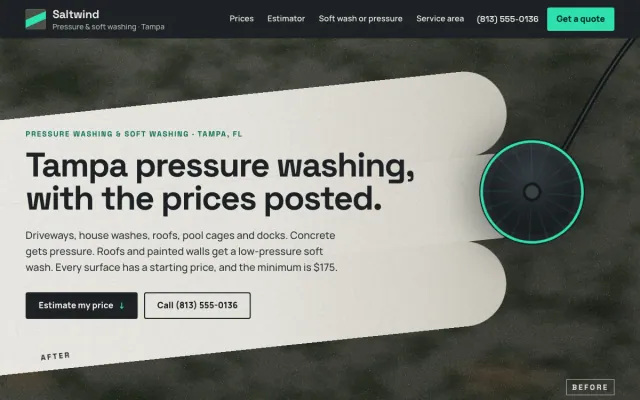
Saltwind Pressure Washing - Pressure Washing website design example
Tampa pressure and soft washing with posted prices and a surface-by-surface estimator
- Surface-by-surface price guide
- Price range estimator
- Quote request with photos
Garage Door Service Omaha, NE
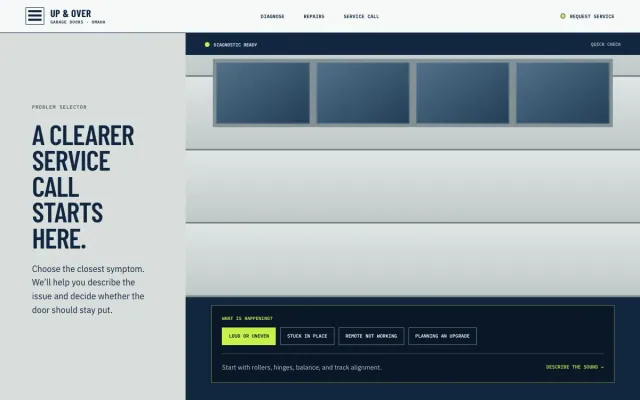
Up & Over Garage Doors - Garage Door Service website design example
Garage-door diagnostics, repairs, and service-call guidance for Omaha homes.
- Problem selector
- Repair options
- Service-call guide
