Websites for dentists
A website for your dental practice, built for you
FreeWebGuy builds websites for dental practices: $0 to build and $15 a month for hosting once you approve the site. Your first version arrives within 48 hours of your brief, with your services, insurance and payment answers, a first-visit walkthrough and a Book button that opens the scheduler your front desk already uses. Pay nothing until you approve it.
Pay nothing until you approve it.
About 3 minutes. No credit card.
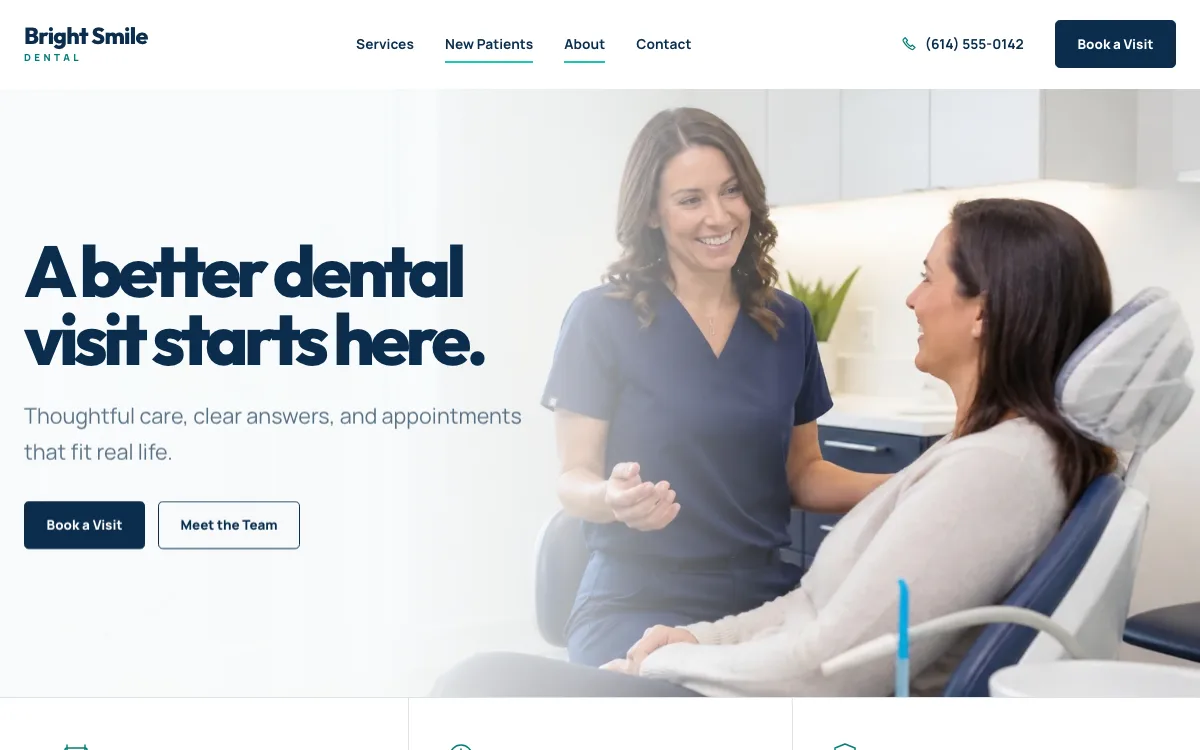
What a dentist website has to do
-
Answer the insurance question first
The first thing a new patient wants to know is whether you take their plan and what a visit costs without one. A plain insurance page, with the plans you are in network with, a membership plan if you offer one and your payment options, answers that before they call the next practice on the list.
-
Describe the first visit
A new patient who has not been in for years wants to know what will happen. A short walkthrough of a new-patient visit, what to bring, how long it takes, what you look for and when they see a treatment plan with costs, lowers the bar to booking.
-
Make booking match how your front desk works
Some practices book online through their practice software; others confirm every new patient by phone. The Book button opens your existing scheduler, or a request form that asks for the reason for the visit and preferred days and emails the front desk, so nothing changes behind the counter.
The pages we build for a dental practice
Your brief decides the final list. These are the pages most dentists need, and the job each one does.
| Page | Why it is there |
|---|---|
| Home | Who you treat, your location and hours, insurance in one line, a first-visit link and a Book button in the first screen. |
| Services | Cleanings, fillings and crowns, whitening, aligners, implants, emergency visits: what each involves and a starting price if you publish one. |
| Insurance and payment | The plans you are in network with, what happens with other plans, your membership plan, financing and payment methods. |
| Your first visit | What to bring, how long it takes, the exam and X-rays, and when the patient sees a written plan with costs. |
| Meet the team | The dentists and hygienists, their training and licenses, and photos of the actual office. |
| Smile gallery | Before-and-after cases only with the patient's written consent, each labeled with the treatment. |
| Patient forms | Links to the forms your practice software provides, so health history never passes through the website's contact form. |
| Book or request | The Book button to your scheduler, or a request form for name, contact details, reason for visit and preferred days. |
See a dentist website we designed
-
The money questions, answered up front
An accordion answers the money questions a new patient has before calling: whether you take their plan, what happens without insurance and whether they will know the cost before treatment. Each answer stands alone.
-
Know what happens before you arrive
Three steps describe the first visit: tell us what brings you in, get a complete exam, leave with a written plan. It speaks to the patient who has put off the dentist for years.
-
A visit request that stays general
The form asks for a name, contact details, the reason for the visit from a short list and a preferred day. It does not ask for health history, which stays in your patient forms, and it emails the front desk to confirm.
Open the full dentist website design example to click through it as a phone or desktop visitor would, or browse more health and wellness website examples.
What to have ready for your brief
The brief takes about 3 minutes. Send what you have now; photos, documents and anything else on this list can follow by email.
- The services you want to lead with, and any you refer out
- The insurance plans you are in network with, and how you handle out-of-network plans
- Your membership plan, financing options and payment methods, if you offer them
- Starting prices for an exam, a cleaning or whitening, if you publish them
- A description of a new-patient visit: length, what to bring, what happens
- The dentists and hygienists, their degrees and licenses, and a photo of each
- Before-and-after photos with signed patient consent for each case
- The link to your patient forms or portal, and your booking link if patients book online
What customers check before they book
- Insurance answers on the page, since "do you take my plan" is the first question
- The dentists' names, photos, training and state licenses, not stock models in white coats
- A written-plan-before-treatment line, if that is how you work, which answers the fear of a surprise bill
- Photos of the actual office and chairs, so the patient knows the room before they sit in it
- A contact form that asks only for name, contact details and the reason for the visit in general terms. Health details stay out of general forms unless the use has been approved in writing and a suitable service is set up, which protects the patient and the practice
What a dentist website costs
A dentist website from FreeWebGuy is $0 to build and $15 a month for hosting once you approve it: $180 for the first year, plus a domain if you need one.
| Route | What it costs | First year | Who builds it |
|---|---|---|---|
| DIY website builder | $17 to $49 a month, billed yearly | $204 to $588 | You build it |
| Freelance web designer | $2,000 to $7,600 to build, plus hosting | $2,060 to $7,900 | They build it |
| Web design agency | $5,000 to $15,000 to build, plus hosting | $5,060 to $15,300 | They build it |
| FreeWebGuy | $0 to build, $15 a month | $180, plus a domain if you need one | We build it |
Sources: Wix plans; Squarespace pricing; WebsiteSetup: small business website costs (updated November 22, 2025); Ueni: average cost for a website (updated September 22, 2026); Clutch: web designer pricing (updated September 21, 2026)
Service pages, insurance answers, a first-visit page and a Book button fit the standard build. Patient forms and health history stay in your practice software; the site links to them rather than collecting them.
The pricing page lists what the $15 plan includes and what costs extra. To price your own situation, use the website cost calculator or compare FreeWebGuy with Wix, Squarespace and web designers.
Prefer to build it yourself?
Building your own dentist website works if you have the evenings for it. These five steps cover what the site needs on any website builder.
-
Pick a builder that lets you link a Book button to your practice's scheduler and link patient forms to your portal.
-
Write an insurance and payment page first: plans you accept, what happens without insurance, financing.
-
Describe a first visit step by step, and photograph the real office and team.
-
Add before-and-after photos only with signed patient consent, labeled by treatment.
-
Keep the contact form to name, contact details and reason for visit; never collect health history through it.
For a page-by-page checklist, read What should be on a small business website? A page-by-page checklist.
How FreeWebGuy builds it
-
Send the brief
About 3 minutes
Tell us what you do and what you want visitors to do.
You pay $0
-
We build it
Within 48 hours of your brief
We use AI to build fast. A person checks every first version before you see it.
You pay $0
-
You review the preview
At your pace
Open the private link and tell us what to change.
You pay $0
-
Approve and go live
When you decide
When you approve the preview, you set up your SMBcrm account and card for the $15 hosting plan.
You pay $15 a month starts here
If you are not ready to launch, you owe nothing.
Questions dentists ask
Something else on your mind? Email hello@freewebguy.com. We reply within one business day.
How much does a dentist website cost?
A dentist website from FreeWebGuy is $0 to build and $15 a month for hosting once you approve it, so the first year is $180 plus a domain if you need one. There is no setup fee and no contract. Service pages, insurance answers, the first-visit page and the Book button are included.
What makes a good dental website?
One that answers the new-patient questions in order: do you take my insurance, what will it cost, what happens at the first visit and how do I book. It names the real dentists, shows the real office and keeps health details out of the contact form.
Should a dental website list the insurance plans we accept?
Yes, by name, with a line on how you handle plans you are not in network with and a membership plan or financing for patients without insurance. Keep the list current; your front desk can update it with the site's AI builder.
Can patients send health details through the website's contact form?
No, and the site is built so they do not need to. The contact and request forms ask for name, contact details, the reason for the visit in general terms and preferred days. Health history, insurance numbers and medications go through the patient forms in your practice software, which the site links to. FreeWebGuy's Terms do not allow health information to be collected through a general-purpose form unless the use has been approved in writing and an appropriate service is configured.
Can we show before-and-after photos on a dental website?
Yes, with each patient's written consent for marketing use, using the consent form your practice already keeps. Label each case with the treatment, not the patient, and keep the photos consistent in angle and lighting so the comparison is honest. Check your state dental board's advertising rules for anything beyond that.
How do I create a website for my dental practice?
Gather your insurance list, a first-visit description, team photos and credentials, and any consented before-and-after cases, then build it on a website builder over a few weekends or send all of it to FreeWebGuy. We send a first version within 48 hours of your brief, and you pay nothing until you approve it.
Should a dental website show prices?
Show starting prices for the visits patients shop for, such as a new-patient exam, a cleaning or whitening, and say that a written plan with costs comes before any treatment. Most procedures depend on the exam, and patients understand that when the site says so.
Related industries and guides
- Website for hair salons A service menu with prices, your stylists' work and a Book button.
- Website for pet groomers Packages by pet size, the area you cover and a meet-and-greet request.
- Website for restaurants A menu in real text, hours, location and your order and reservation links.
- How much does a small business website cost in 2026?
- Is a free website really free?
- What happens after you request a free website
- $0 to build
- First version within 48 hours of your brief
- $15 a month for hosting, only after you approve the preview and go live
- Month to month, no contract
When you approve the preview, you set up your SMBcrm account and card for the $15 hosting plan. That is the only time we ask for payment details.
