HVAC website example · Mesa, AZ
An HVAC website designed to turn a broken AC into a service request
Sunline Air & Heat is an example website design for an HVAC company in Mesa, AZ. It opens on a dark, full-width photo of a technician at a ceiling vent, with a request button and a phone link together under the headline. A rail of 4 starting points follows, and the page ends on a request form that asks only for a name, the kind of help and a few details.
$0 to build, $15/mo after you go live
Sunline Air & Heat HVAC
$0 to build · $15/mo after you go live
Get a site like this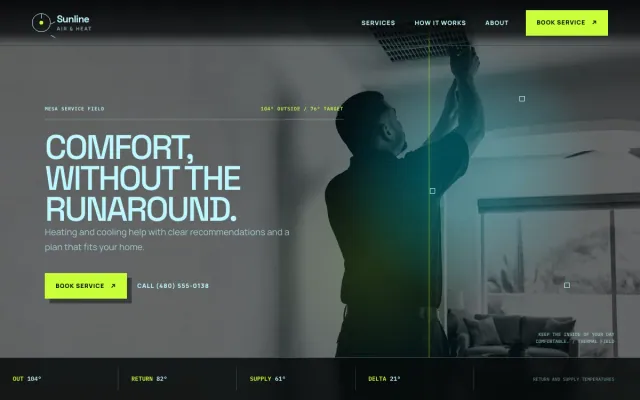
At a glance
- Industry
- HVAC
- Setting
- Mesa, AZ
- Category
- Home Services & Trades
- Designed to
- Turn a broken AC into a service request
- Pages
- 1 · Home
- Style
- Dark, Bold, Modern
- Palette
-
- #070A0B
- #C8FF38
- #BDF6FF
Design decisions
-
The first screen gives one next step when the AC quits
A homeowner whose air stopped working wants the next step before anything about the company. The hero gives a bright request button and a phone link, both reachable without scrolling on a phone.
-
Repair, tune-up and replacement stay separate
Someone with a failing unit and someone comparing replacements should not read the same paragraph. 3 expandable rows name each situation in plain words, and each one opens into a short explanation and a link to the form.
-
Cooling, heating and air quality get a rail of their own
Visitors scan for the word that matches their problem before they read anything else. A 4-item rail under the hero names cooling, heating, air quality and new service, and each item jumps to the matching section.
-
A 3-step process sets expectations before the visit
People hesitate to call a service company when they do not know what happens next. The process section walks through describing the issue, getting a clear recommendation and choosing the timing, and it leaves the homeowner’s decision for the end.
What's on this site
- Photo hero with request button and call link
- Cooling, heating and air-quality rail
- Repair, tune-up and replacement rows
- Three-step process
- About note
- Service request form
Features you can try in the example
- Repair and maintenance paths
- Service request form
- Mobile call action
What every HVAC website needs
- A phone number and a request button visible on the first screen of a phone
- Repair, maintenance and replacement described as separate paths
- The cities and neighborhoods you serve
- Your license number and any manufacturer certifications you hold
- A plain explanation of what happens on the first visit
- Photos of your technicians and trucks, so the person at the door is recognizable
See how FreeWebGuy builds a website for HVAC companies.
- $0 to build
- First version within 48 hours of your brief
- $15 a month for hosting, only after you approve the preview and go live
- Month to month, no contract
When you approve the preview, you set up your SMBcrm account and card for the $15 hosting plan. That is the only time we ask for payment details.
HVAC website questions
What should an HVAC website include?
An HVAC website should show a phone number and a request button on the first screen, separate repair from maintenance and replacement, name the area you serve, and list your license and certifications. A short description of the first visit, from diagnosis to recommendation, answers the question homeowners have before they call.
Does an HVAC website need separate heating and cooling pages?
Not at the start. One page with clear sections for cooling, heating and air quality covers a small company, and each section can grow into its own page once you have the photos and detail to fill it. What matters is that a visitor can find the right section in one scroll.
How much does an HVAC website like this cost with FreeWebGuy?
FreeWebGuy builds your HVAC website for $0. Hosting is $15 a month and starts only after you approve the private preview and go live. Month to month, no contract. The full price breakdown lists what is included and what costs extra.
How fast can I get an HVAC website like this?
First version within 48 hours of your brief. You review a private preview and ask for changes before you pay. Bigger sites, or briefs missing key details, take a few days more. See how it works for the steps.
Is this a template?
No. It is one design direction for HVAC websites. Your site is built from your brief: your name, services, service area and look. You can name this example as the look you want, or ask for something different.
More home service website examples
Locksmith Spokane, WA
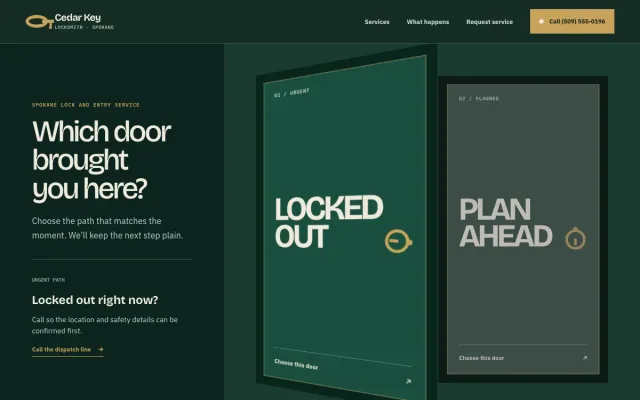
Cedar Key Locksmith - Locksmith website design example
Clear help for lockouts, rekeys, and better entry.
- Urgent/planned door selector
- Lock and key service index
- Arrival workflow
Painter Kansas City, MO
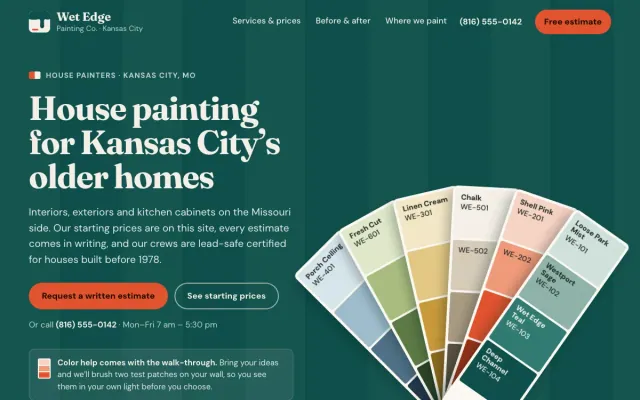
Wet Edge Painting Co. - Painter website design example
House painting with starting prices by room, a before/after slider and an estimate request
- Before/after slider
- Starting prices by room
- Interior, exterior and cabinet paths
Home Organizer Raleigh, NC
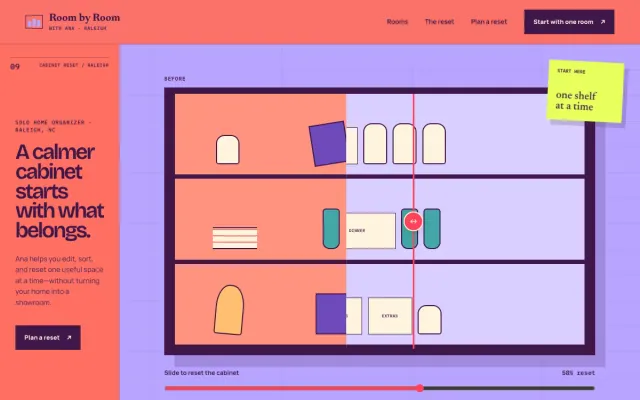
Room by Room with Ana - Home Organizer website design example
A calmer home, one useful reset at a time.
- Before/after cabinet
- Room-by-room paths
- Edit / sort / reset plan
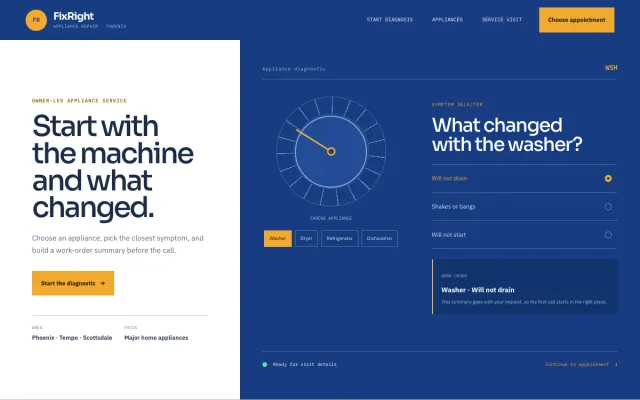
Appliance Repair Phoenix, AZ
FixRight Appliance Repair - Appliance Repair website design example
An appliance diagnostic, symptom selector, and clear appointment request
- Appliance diagnostic
- Symptom selector
- Appointment request
