Landscaper website example · Sacramento, CA
A landscaper website designed to turn a garden idea into a site visit
Field & Form Landscapes is an example website design for a landscaper in Sacramento, CA. It opens on a full-width photo of a shaded garden with contour lines drawn over it, a serif headline about outdoor rooms and a button to arrange a site visit. Design, install and care follow as 3 expandable rows, then a garden story and a 4-season rhythm, and the page ends on a 3-field visit request form.
$0 to build, $15/mo after you go live
Field & Form Landscapes Landscaper
$0 to build · $15/mo after you go live
Get a site like this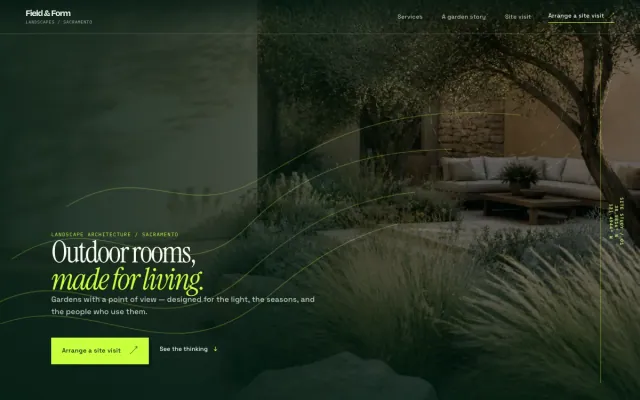
At a glance
- Industry
- Landscaper
- Setting
- Sacramento, CA
- Category
- Home Services & Trades
- Designed to
- Turn a garden idea into a site visit
- Pages
- 1 · Home
- Style
- Editorial, Dark
- Palette
-
- #0B291D
- #C8FF3D
- #EEF6E7
Design decisions
-
The hero gives the whole screen to a finished garden
A homeowner imagining a new yard wants to see what the end looks like. The first screen is one photograph of a mature garden at dusk, with the headline and button kept small so the image stays in charge.
-
Design, install and care fit in 3 expandable rows
Visitors arrive at different stages: some need a plan, some have a plan and need a crew, some want someone to keep what they have. Expandable rows let each one open the stage that applies and move straight to the visit request.
-
A garden story shows how a project is reasoned
Before-and-after photos show results but not thinking. The story section describes one courtyard with a brief, a plant palette and a feeling. A visitor learns from that one example how the landscaper approaches a site.
-
The seasons section says the relationship continues
Landscaping clients worry about what happens after the install. A 4-season grid, spring to winter, makes ongoing care part of the offer without a maintenance contract or a price.
What's on this site
- Full-width garden hero with site-visit button
- Introduction
- Design, install and care rows
- Garden story
- Four-season rhythm
- Site visit request form
Features you can try in the example
- Landscape design
- Installation & planting
- Seasonal care
- Site visit request
What every landscaper website needs
- Services split into design, installation and ongoing care
- Photos of finished gardens, shot in good light with the house in frame
- Your contractor license and insurance
- The neighborhoods and towns you work in
- A description of how a project starts, usually with a site visit
- A short request form that asks what the visitor is considering
See how FreeWebGuy builds a website for landscapers.
- $0 to build
- First version within 48 hours of your brief
- $15 a month for hosting, only after you approve the preview and go live
- Month to month, no contract
When you approve the preview, you set up your SMBcrm account and card for the $15 hosting plan. That is the only time we ask for payment details.
Landscaper website questions
What should a landscaper website include?
A landscaper website should separate design, installation and care, show finished gardens in good light, list your license and insurance, and name the towns you work in. A short form asking what the visitor is considering turns the page into site visits.
Should a landscaping website show maintenance plans?
Yes, if you offer them. Describe what a seasonal visit covers and how often it happens, without listing a price unless it is fixed. Many homeowners look for a landscaper after the install is done, so a visible care section brings in that customer too.
How much does a landscaper website like this cost with FreeWebGuy?
FreeWebGuy builds your landscaper website for $0. Hosting is $15 a month and starts only after you approve the private preview and go live. Month to month, no contract. The full price breakdown lists what is included and what costs extra.
How fast can I get a landscaper website like this?
First version within 48 hours of your brief. You review a private preview and ask for changes before you pay. Bigger sites, or briefs missing key details, take a few days more. See how it works for the steps.
Is this a template?
No. It is one design direction for landscaper websites. Your site is built from your brief: your name, services, service area and look. You can name this example as the look you want, or ask for something different.
More home service website examples

Electrician Denver, CO
Brightwire Electric - Electrician website design example
A sharp, dependable electrical service site for Denver homeowners
- Fix, upgrade and lighting paths
- Day-to-evening lighting slider
- Project request form
Cleaning Service Orlando, FL
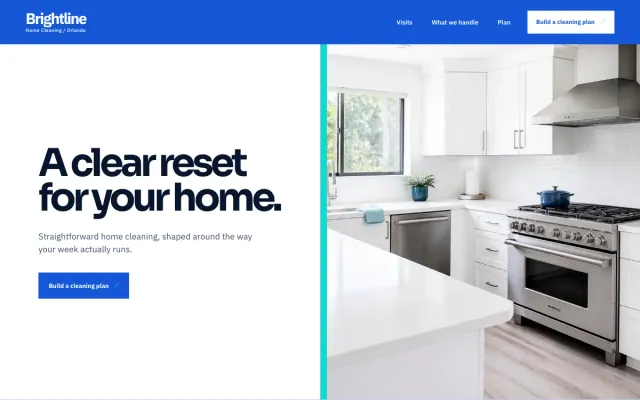
Brightline Home Cleaning - Cleaning Service website design example
Straightforward home cleaning shaped around the way your week runs.
- Visit-type picker
- Cleaning plan builder
- Plan request form
Pest Control Austin, TX
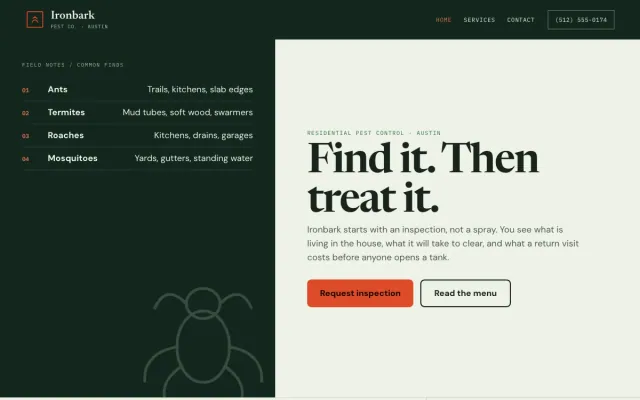
Ironbark Pest Co. - Pest Control website design example
Inspection-first pest control with a treatment menu you can actually read.
- Inspection request form
- Treatment menu & pricing
- Service-area map
HVAC Mesa, AZ
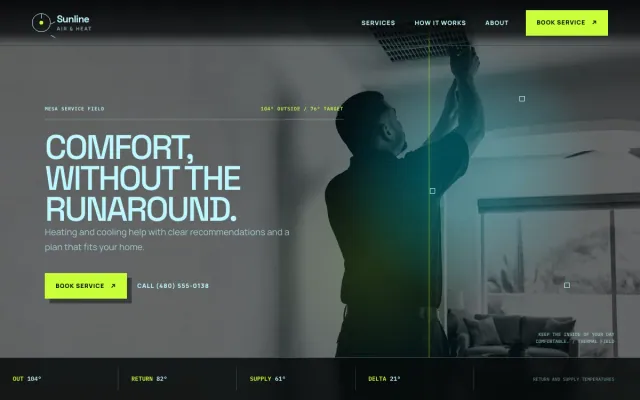
Sunline Air & Heat - HVAC website design example
A clear, calm HVAC service site for Mesa homeowners
- Repair and maintenance paths
- Service request form
- Mobile call action
