Roofer website example · Charlotte, NC
A roofer website designed to turn a roof question into a project plan
Solterra Roof + Solar is an example website design for a roofer in Charlotte, NC. It opens on a poster-style hero, a purple grid with a yellow sun and panel shapes, and a button to see options. 3 tabs let a visitor choose roof only, solar only or both, a 4-stage timeline explains planning, and the page ends on a request form that asks for a name, a project address and the chosen path.
$0 to build, $15/mo after you go live
Solterra Roof + Solar Roofer
$0 to build · $15/mo after you go live
Get a site like this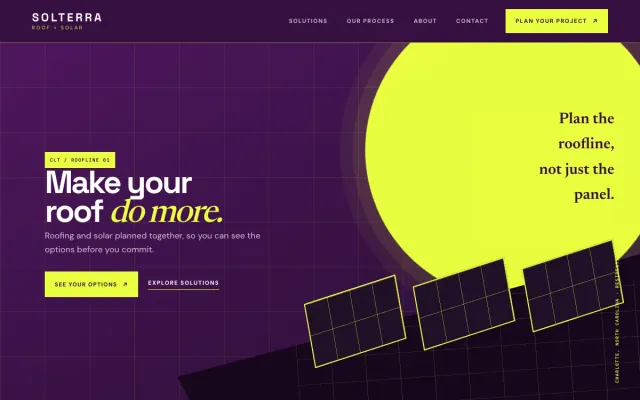
At a glance
- Industry
- Roofer
- Setting
- Charlotte, NC
- Category
- Home Services & Trades
- Designed to
- Turn a roof question into a project plan
- Pages
- 1 · Home
- Style
- Bold, Modern
- Palette
-
- #351041
- #EAFF3F
- #F2ECF6
- #2B1733
Design decisions
-
The first decision is roof, solar or both
A homeowner may need a new roof, want panels, or suspect the two should happen together. 3 tabs put that choice at the top of the page, and each tab opens into a 3-point outline of what the planning covers.
-
A 4-stage timeline turns a big project into a sequence
Roof and solar work involves permits, materials and a crew on the house for days. Discover, design, plan and build appear as numbered stages, so the visitor sees what happens in what order before committing.
-
An illustrated hero avoids the stock-photo roof
Many roofing websites open on a drone shot of a roof. A bold graphic of a sun and 3 panels on a grid makes the page recognizable and loads faster than a large photograph.
-
The form asks for the address early
A roofing estimate depends on the roofline, so the project address is the one detail a roofer needs first. The form asks for a name, an address and the roof, solar or both choice, and nothing the homeowner does not already know.
What's on this site
- Poster hero with options button
- Roof, solar and both tabs
- Four-stage planning timeline
- About note
- Project request form with address
Features you can try in the example
- Roof and solar path picker
- Planning timeline
- Project request form
What every roofer website needs
- Services split into repair, replacement and solar or add-on work
- Your license, insurance and manufacturer certifications
- Photos of finished roofs, close enough to show the materials
- A clear description of how an estimate works and what the inspection covers
- The counties and towns you serve
- A request form that asks for the property address
See how FreeWebGuy builds a website for roofers.
- $0 to build
- First version within 48 hours of your brief
- $15 a month for hosting, only after you approve the preview and go live
- Month to month, no contract
When you approve the preview, you set up your SMBcrm account and card for the $15 hosting plan. That is the only time we ask for payment details.
Roofer website questions
What should a roofer website include?
A roofer website should separate repair, replacement and add-ons such as solar, list your license and insurance, show finished roofs up close, and explain how an estimate works. Because the roofline decides the quote, the request form should ask for the property address first.
Should a roofing website mention storm damage and insurance claims?
If you do that work, yes, in plain terms. Describe what you inspect after a storm and how you document it for a claim, and avoid promising what the insurer will pay. A dedicated section helps homeowners who arrive after a hail or wind event find the right path quickly.
How much does a roofer website like this cost with FreeWebGuy?
FreeWebGuy builds your roofer website for $0. Hosting is $15 a month and starts only after you approve the private preview and go live. Month to month, no contract. The full price breakdown lists what is included and what costs extra.
How fast can I get a roofer website like this?
First version within 48 hours of your brief. You review a private preview and ask for changes before you pay. Bigger sites, or briefs missing key details, take a few days more. See how it works for the steps.
Is this a template?
No. It is one design direction for roofer websites. Your site is built from your brief: your name, services, service area and look. You can name this example as the look you want, or ask for something different.
More home service website examples
Junk Removal Columbus, OH
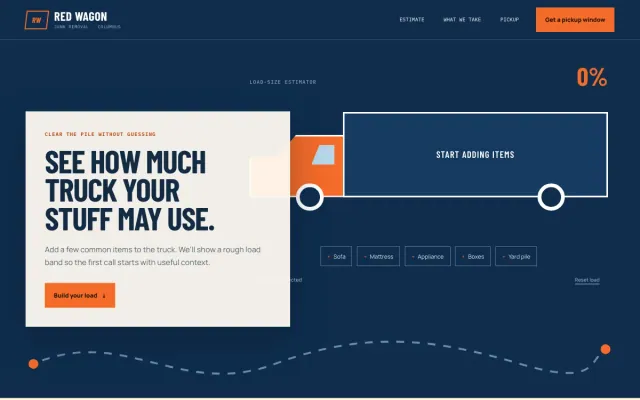
Red Wagon Junk Removal - Junk Removal website design example
A load-size estimator, accepted-item guide, and simple pickup-window request
- Load-size estimator
- Accepted item guide
- Pickup window request
Moving Company Indianapolis, IN
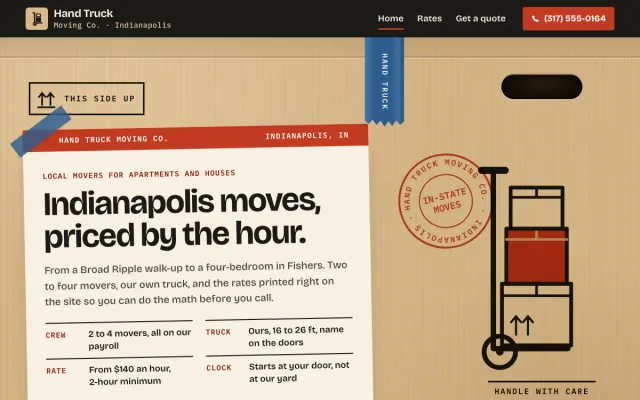
Hand Truck Moving Co. - Moving Company website design example
A move-size estimator, posted hourly rates with every add-on, and a moving quote request
- Move-size estimator
- Hourly rates and add-ons
- Moving quote request
Home Builder Asheville, NC
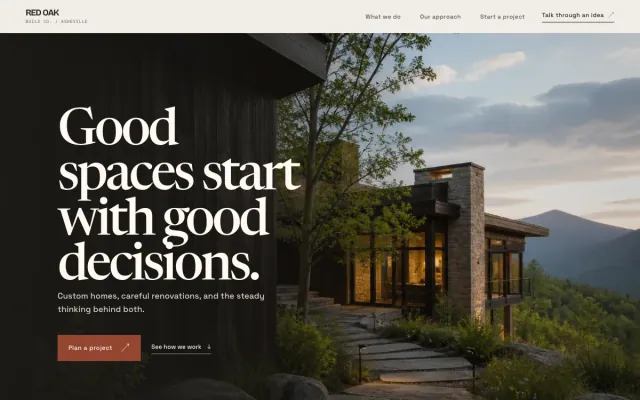
Red Oak Build Co. - Home Builder website design example
Thoughtful builds, renovations, and additions for mountain homes.
- Custom homes
- Renovations & additions
- Project story
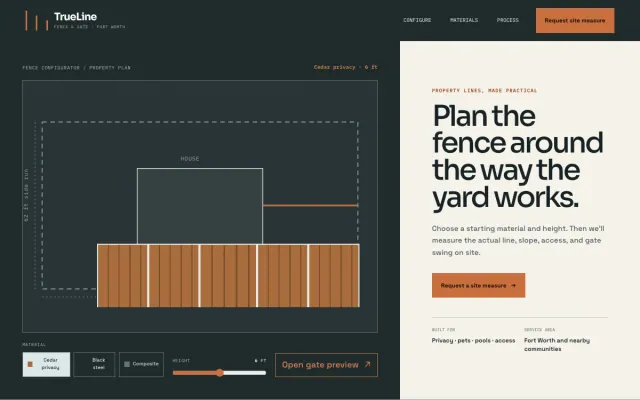
Fence Contractor Fort Worth, TX
TrueLine Fence & Gate - Fence Contractor website design example
A fence configurator, clear material comparison, and site-measure request
- Fence configurator
- Material comparison
- Site measure request
